Search for a Windows 10 deadline right now and you will get two different answers. Business advisory blogs, IT newsletters and half the guides written this year say security updates stop in October 2026. Microsoft’s own support page says October 2027. Both look official. Both cannot be right.
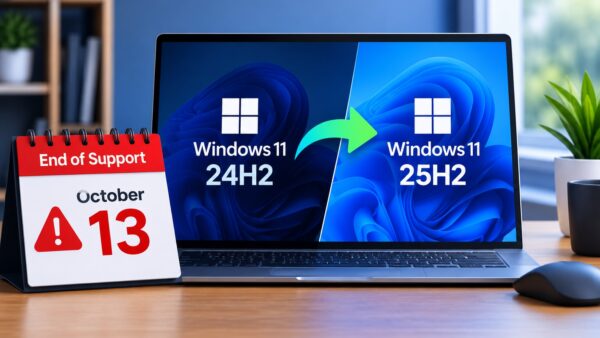
So does Windows 10 ESU support end in October 2026 or October 2027? The correct answer is 12 October 2027. Microsoft extended the consumer Extended Security Updates programme by a full extra year on 25 June 2026, and anyone still repeating the 2026 date is working from information that went stale about six weeks ago.
Microsoft moved the deadline and told almost nobody
There was no press release. No blog post announcing it. No notification on anyone’s PC.
What happened instead is that Microsoft edited its own documentation. The Windows 10 ESU support page was updated to read: “Windows 10 support has ended. You can enrol in ESU any time until the program ends on October 12, 2027. If you’re already enrolled, your coverage will automatically continue through that date, no action needed.”
An “Editor’s note” was also quietly attached to an older Windows Experience Blog post, dated 25 June 2026, confirming the programme was being extended by a year.
Journalists noticed the edit before most users did, and several went straight to Microsoft to ask whether it was a mistake. It was not. The company confirmed the change directly, saying it understood that moving to a new PC takes time and that the extra year gives people more room to find the right machine while staying protected.
Read between the lines and the reason is fairly obvious. A very large number of people have simply refused to move to Windows 11, and Microsoft would rather patch them than leave several hundred million unprotected machines sitting on the internet.
The dates that actually matter
| What | Date | Status |
|---|---|---|
| Windows 10 mainstream support ended | 14 October 2025 | Already passed |
| Original consumer ESU cut-off | 13 October 2026 | No longer applies |
| Current consumer ESU cut-off | 12 October 2027 | This is the real one |
| Business ESU (volume licensing, up to 3 years) | Around October 2028 | Paid, escalating yearly |
| Windows 10 LTSC 2021 support ends | January 2032 | Separate edition entirely |
That LTSC line at the bottom is where a lot of the wilder online advice comes from. Yes, a version of Windows 10 is supported until 2032. It is a locked-down enterprise edition that is not licensed for ordinary home use, so it is not the escape hatch people think it is.
Why so many sites still say 2026
Because they were correct when they were published, and nobody went back to fix them.
For roughly eight months, from October 2025 until late June 2026, October 2026 was the accurate answer. Thousands of articles, IT company advisories, upgrade checklists and LinkedIn posts were written in that window, all warning people that the clock ran out this year. When Microsoft moved the date without an announcement, none of those pages updated themselves.
This is worth knowing beyond just this one question. When a company changes something quietly, the internet stays wrong about it for months. Always check the vendor’s own page before making a decision based on a deadline you read somewhere else.
How to claim the extra year without paying a naira
Enrolment is still open, and there are three ways in.
- Free. Sign in with a Microsoft account and turn on PC Settings sync, which is Windows Backup. This costs nothing.
- 1,000 Microsoft Rewards points. Also effectively free if you have been collecting points through Bing searches and Microsoft account activity.
- $30 one-time payment. The paid route, for anyone who does not want to sync settings or does not have the points.
One licence covers up to 10 devices, which matters if you run a small office or a household with several old laptops. And if you already enrolled last year, do nothing. The extension applies automatically and your coverage rolls forward on its own.
The part that catches people out
Being willing to enrol is not the same as being able to.
Your PC must be running Windows 10 version 22H2 with updates installed. Older builds are not eligible, and plenty of machines that have been sitting without updates for a year or two are quietly stuck on something earlier. Check under Settings, System, About before assuming you are covered.
Devices joined to a work domain or managed through MDM are also excluded from the consumer programme entirely. Those fall under the business ESU track, which is paid, priced per device, and gets more expensive each year.
There is one more thing that has caught a lot of people badly. Windows 10 PCs that are not enrolled in ESU can no longer pause updates, and some of those machines have gone ahead and installed Windows 11 without their owner ever agreeing to it. If your hardware barely meets the requirements, that is not a pleasant surprise to wake up to.
What the extra year actually gets you, and what it does not
ESU is security patches. That is the whole product.
You get critical and important security updates as defined by Microsoft’s own security response team. You do not get new features, general bug fixes, performance improvements, or technical support. If something breaks that is not a security hole, nobody at Microsoft is fixing it for you.
Software makers are also starting to walk away independently. Browsers, creative tools and productivity apps have begun announcing the end of their own Windows 10 support, and that has nothing to do with Microsoft’s calendar. By late 2027 the experience will feel noticeably dated even with every patch installed.
Skipping enrolment entirely is the worst option of all. An unpatched machine connected to the internet is exactly what attackers wait for, and the scale of the problem is not small. Over three billion internet users were scammed or hacked last year, and Nigerian users were not spared.
For Nigerians, this extra year is worth real money
An extra twelve months on a working laptop is not a small favour in this market.
Component prices have been brutal. RAM prices jumped 328 per cent in a single year, which pushes up the cost of every new machine on the shelf, and imported hardware here carries the exchange rate on top of that. The same pressure is why even a MacBook Air is heading for a higher price tag locally.
Buying a Windows 11 laptop in a panic before October 2026 would have meant buying into the worst of that. Waiting until 2027 gives the market a year to settle, gives you time to shop properly instead of grabbing whatever is available, and costs nothing if you enrol through the free route.
There is also the honest question of whether you want Windows 11 at all. A lot of the resistance is not about hardware requirements but about what Microsoft has bolted onto the operating system, which is why so many people are stripping Copilot out of their machines the moment they get there.
What to do this week
Open Settings and confirm you are on Windows 10 version 22H2. If you are not, install the pending updates until you are, because nothing else works without it.
Then go to Settings, Update and Security, Windows Update and look for the ESU enrolment link. Take the free option unless you have a reason not to. Cover up to ten devices on the one licence if you have old machines around the house or office.
After that, put October 2027 somewhere you will actually see it. Microsoft has now moved this deadline once. It may well move again, and it may not. Planning around the date that exists today is the only sensible approach, and the date that exists today is 12 October 2027.