OpenAI started rolling out ChatGPT locked chats on Tuesday, October 20, 2026, letting you hide individual conversations behind a four-digit account PIN or your phone’s face or fingerprint unlock. According to the ChatGPT release notes, the feature is coming to the Free and Go plans as well as Plus and Pro, on the web, the Android and iPhone apps, and the new ChatGPT desktop app for Windows and macOS, so you don’t need a subscription to use it in Nigeria.
It’s most useful if you share a phone or laptop with family, hand your device to a repairer, or have asked ChatGPT about things you’d rather keep to yourself, such as a CV you’re rewriting, a health worry or a business plan. A locked chat disappears from your regular history, your pinned chats and search, and it only opens again after you prove it’s you. The rollout is gradual, so if the option isn’t in your menu today, your account just hasn’t received it yet.
| Plans | Free, Go, Plus, Pro, Business, Enterprise and Edu |
|---|---|
| Platforms | Web, Android, iPhone, and the new desktop app for Windows and macOS |
| Unlock with | 4-digit account PIN, or Face ID, Touch ID or Android device unlock |
| Where locked chats live | Projects > Locked chats |
| End-to-end encrypted | No |
| Release Date | 20 October 2026 |
Locking a conversation takes one menu and four digits
Open the conversation, tap the three-dot menu at the top and choose Lock chat, then confirm. The first time you do this, ChatGPT asks you to create a four-digit PIN and type it twice. That PIN belongs to your OpenAI account rather than to one phone, so the same code works whether you open ChatGPT on your Android, your iPhone or a laptop browser.
On an iPhone you can also turn on Face ID or Touch ID, and on Android there’s a Use device unlock option. Both are optional, they only apply on the device where you switch them on, and they don’t replace the PIN. To read a locked conversation later, go to Projects > Locked chats and unlock it. Access doesn’t last long: on mobile the chats lock again after about a minute away from the app, and on the web or desktop they lock when you leave the tab for a while, refresh or close it. Tap Lock now if you want to shut them immediately.
Forget the PIN and those chats are deleted for good
This is the part to take seriously before you lock anything important. OpenAI’s help page on locked chats says resetting a forgotten PIN permanently deletes every locked conversation, along with memories and files that existed only inside them, and OpenAI Support can’t bring them back. Workplace admins can’t reset your PIN or open your locked chats either.
Changing a PIN you still remember is safe, because your locked chats stay put. You’ll find it under Settings > Security and login > Account PIN, and you’ll need the current PIN even if you normally use face or fingerprint unlock. Pick four digits you won’t forget but that aren’t your ATM PIN or birth year, and if a conversation holds something you can’t afford to lose, copy it somewhere safe before locking it.
What a lock won’t hide from OpenAI or anyone you’ve shared with
A locked chat isn’t end-to-end encrypted, and locking doesn’t change how long OpenAI keeps your data or whether your conversations can be used to improve its models. Those still follow your account’s data settings. If you’d previously created a shared link to a conversation, locking it doesn’t kill that link, and the content you shared stays visible until you delete the link yourself. Anyone holding your unlocked phone can also copy what’s inside an open locked chat, so the lock protects you mainly from people browsing your history.
| Problem | Likely cause | Fix |
|---|---|---|
| No Lock chat option in the menu | The gradual rollout hasn't reached your account, or the app is out of date | Update ChatGPT from the Play Store or App Store and check again over the next few days |
| One particular chat refuses to lock | It's a temporary, archived or group chat, was created from a shared link, or has a scheduled task attached | Delete any scheduled tasks linked to it, including paused ones, then try again |
| Screenshots of a locked chat come out blank on Android | OpenAI says this can happen with locked chats | Unlock the chat first if you really need a screenshot |
| A locked chat doesn't show up in search | Locked chats are left out of regular search | Open Projects > Locked chats and find it there |
Which of your chats deserve a lock
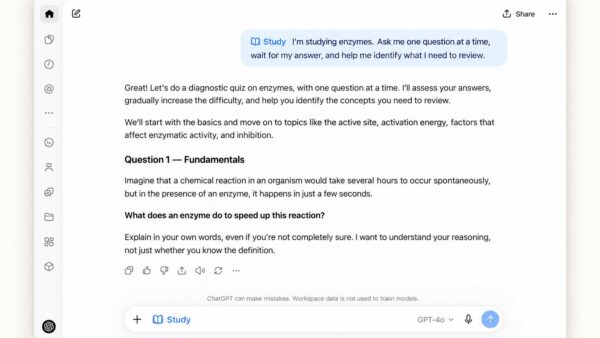
Students using ChatGPT for revision won’t gain much from locking those sessions, and our guide to using Study Mode for UTME and WAEC works best with chats you can find quickly. The lock earns its keep on conversations about money, health, job applications or anything involving other people’s details. If you’ve also connected ChatGPT to your browser through the new Chrome extension that reads your open tabs, it’s worth reviewing what those chats picked up too. Lock the handful that matter, write your PIN somewhere offline that only you can reach, and leave everyday chats in your normal history where search still works.