
WhatsApp will only support iPhones running iOS 15.5 or newer from Monday, 30 November 2026. The change is listed on its Help Center page on supported operating systems, and it raises the iPhone floor from iOS 15.1, the minimum WhatsApp set in May 2025.
Only a narrow group of phones is caught: iPhones still sitting on iOS 15.1, 15.2, 15.3 or 15.4. These are most likely older models whose last major update was iOS 15, namely the iPhone 6s, iPhone 6s Plus, first-generation iPhone SE, iPhone 7 and iPhone 7 Plus, in cases where the owner never installed the later iOS 15 updates. Every one of those phones can still install a newer iOS 15 release, so you don’t need a new phone to keep WhatsApp. You need a software update.
Your iPhone’s version number tells you in under a minute
Open Settings > General > About and look at the number beside iOS Version. If it shows 15.5 or anything higher, including iOS 16, 17 or later, nothing changes for you on 30 November. If it shows 15.4 or lower, update before Monday.
Back up your chats first, then update
Updating iOS doesn’t normally touch your WhatsApp messages, but an old phone with little free space can struggle with a big download, so it’s worth having a fresh backup before you start.
- Charge the phone above 50% or keep it plugged in, and connect to Wi-Fi or make sure you have a data bundle that can handle a large download.
- In WhatsApp, go to Settings > Chats > Chat Backup and tap Back Up Now. This saves your chats to iCloud.
- Open Settings > General > Software Update on the iPhone and tap Download and Install.
- When the phone restarts, open WhatsApp and confirm your chats are all there.
If the update refuses to install because storage is full, clear old videos or unused apps first. Don’t delete WhatsApp itself to make room unless your backup has finished, because reinstalling without a backup loses your chat history.
WhatsApp warns you before support ends
WhatsApp says that before it stops supporting an operating system, it notifies affected users inside the app and reminds them a few times to upgrade. If you’ve seen that message on an older iPhone recently, this is the reason. WhatsApp also says it reviews its supported systems every year and drops the oldest ones with the fewest users, because they may lack the security updates or features the app needs.
Android users aren’t affected by this round. The same Help Center page lists Android 6.0 and newer as supported after WhatsApp dropped Android 5.0 and 5.1 on 8 September 2026, and no new Android cut-off has been announced. WhatsApp has done this kind of clean-up before, as in its earlier cut-off that ended support for the iPhone 6 and Galaxy S4.
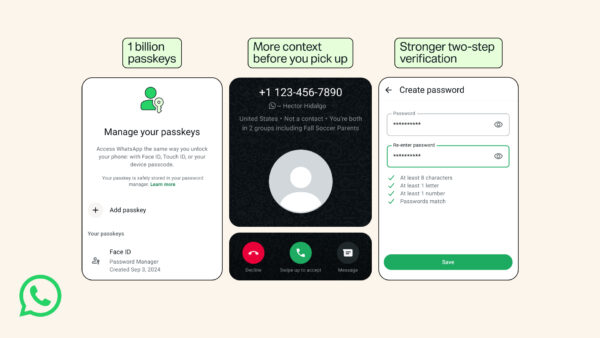
Once you’re on a supported version, it’s a good moment to tighten your account too, for example by switching on the new full-password option for two-step verification. If your iPhone shows 15.4 or lower today, the one job before Monday is the backup and the free update, and your chats carry on as normal.