As of September 2026, the safest place to get Opera Mini on Android is still the official Google Play listing or Opera’s own website. For a safe opera mini download, don’t start from a random “APK latest version” result, a Telegram file, a WhatsApp forward or a pop-up advert claiming to give you a faster or unlocked version. Opera Mini is already a free browser, and on Nigerian mobile data it’s popular because it can reduce page weight and make browsing feel lighter on budget Android phones. The risk is that fake APKs can look convincing until they ask for strange permissions, fail to update properly or quietly install something you didn’t plan to install. If you use a Tecno, Infinix, itel, Samsung, Xiaomi or Nokia Android phone, the steps below will help you install the real app and avoid the usual traps.
The safe opera mini download route starts with Google Play
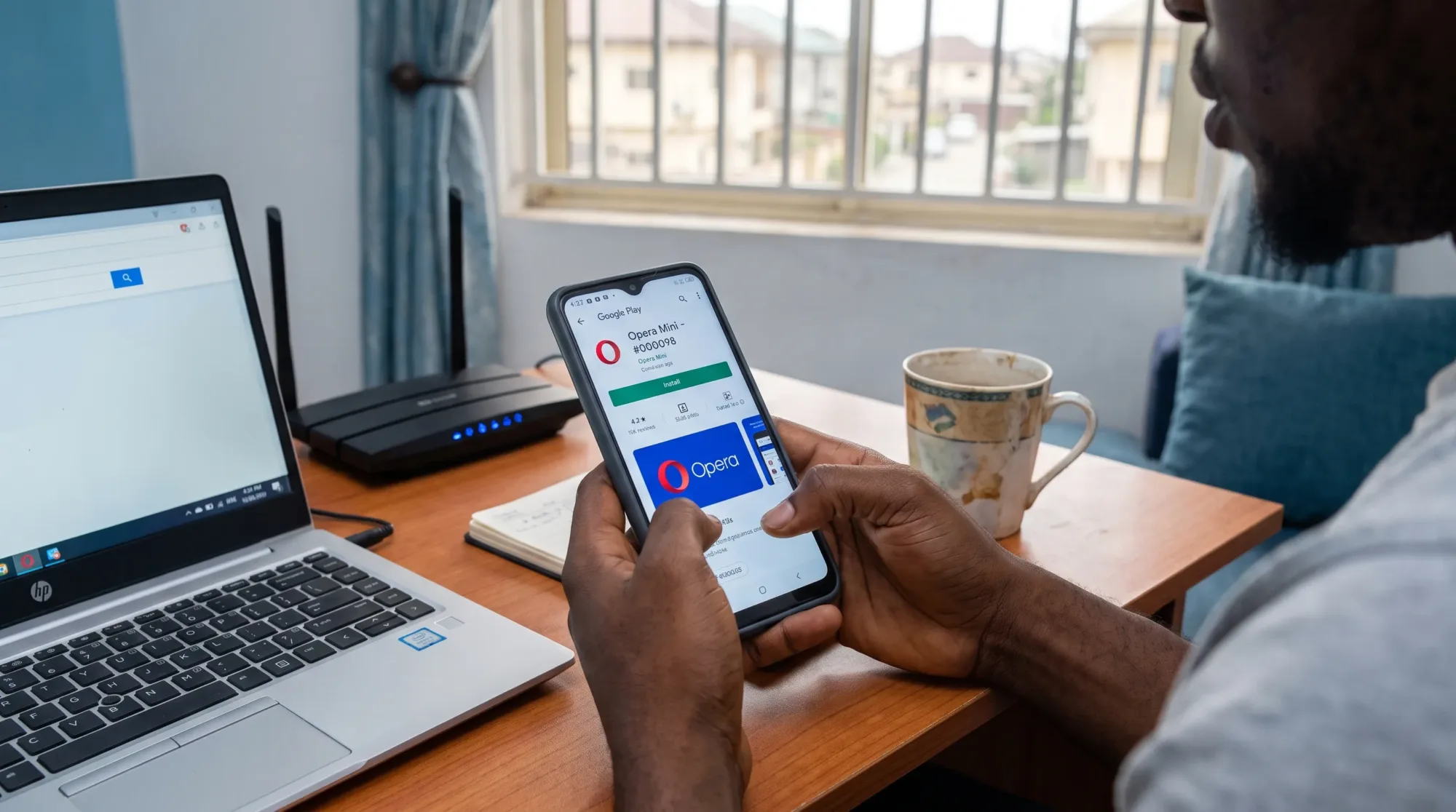
Open Google Play and search for Opera Mini, or go directly to the official Opera Mini listing on Google Play. Check that the developer name is Opera before you tap Install. The Play Store URL also contains the package name com.opera.mini.native, which is a useful extra clue when you’re checking that you’re on the correct listing.
If you’re installing from search results inside Google Play, slow down for a moment before tapping the first result. Fake or copycat apps often use similar names, similar icons or words like “mini browser” to catch people who are moving too fast. The official listing should not ask you to leave Google Play to complete the installation.
Google also provides Play Protect, which checks apps for harmful behaviour. Open Google Play, tap your profile picture, go to Play Protect and make sure Scan apps with Play Protect is turned on. It’s not a reason to install careless files, but it gives you one more layer of protection when you’re using Android.
If you prefer Opera’s website, stay on the real domain
Opera also has an official Opera Mini page where you can learn about the browser and follow the download path Opera provides. If an opera mini download link claims to be official, the domain should be opera.com, not a lookalike spelling, a shortened link or a page filled with flashing download buttons.
Some official product pages send you back to Google Play for installation. That’s normal and usually safer than sideloading a file. If a page forces an APK file immediately, check the domain again before you continue. Android files are easy to rename, so the file name alone doesn’t prove anything.
Use the table below when you’re not sure which route to trust.
| Download route | How safe it is | What you should check |
|---|---|---|
| Google Play | Highest for most users | Developer name, app icon, package name and Play Protect status |
| Opera’s official website | Safe when the domain is correct | The address should be opera.com and the page may redirect to Google Play |
| Phone manufacturer app store | Use with care | Publisher details, reviews, update date and whether it matches the official app |
| Random APK websites, social media files or pop-up adverts | Avoid | These can host modified, outdated or repackaged files |
If Google Play is missing from your Tecno, Infinix or itel phone, don’t replace it by downloading a Play Store APK from a random site. Use a careful repair route instead, and follow our guide on how to install Google Play Store safely on Android before you try Opera Mini again.
Fake APKs usually give themselves away before you install
A fake APK can turn a simple opera mini download into a bigger phone problem, especially if you’re using a budget Android phone with limited storage and you don’t check permissions closely. The warning signs are not always technical. Many fake pages use urgency, large green buttons, “no ads” claims, “pro version” labels or “unlimited data” promises to push you into downloading quickly.
Opera Mini does not need permission to control your whole phone before it can browse the web. Be careful if a browser APK asks for Accessibility, Notification access, Device admin apps or permission to install more unknown apps. Some legitimate apps may request sensitive permissions for specific features, but a basic browser installation should not pressure you to approve everything at once.
Don’t install an Opera Mini APK from a Telegram channel, WhatsApp group, pop-up advert or random file-sharing page. If you already downloaded one but haven’t opened it, delete the file from your Downloads folder and use Google Play instead.
When Play Store refuses to install Opera Mini
If your opera mini download fails inside Google Play, don’t jump straight to sideloading. Start with the boring checks because they fix a lot of installation errors without increasing your risk. Make sure you have enough free storage, then confirm that your date and time are correct under Settings > System > Date and time > Set time automatically. On some Tecno, Infinix and itel phones, the path may appear as Settings > System > Date & time.
Next, clear the Play Store cache. Go to Settings > Apps > Google Play Store > Storage and tap Clear cache. On Android 12 to Android 15, some phones show Storage & cache instead of Storage. If the Play Store still misbehaves, restart your phone and try again on a stable Wi-Fi connection or a strong 4G connection.
If your storage is nearly full, Android may download part of the app and then fail during installation. You don’t always need to delete photos to fix that. Clearing old downloads, offline videos, duplicate files and unused app caches can free enough room. There’s a practical walkthrough in our guide on freeing up Android storage without deleting photos.
Be careful with sideloading if you absolutely must use it
Sideloading means installing an Android app from outside Google Play. It’s sometimes useful, but it removes some of the safety checks you get from a normal Play Store install. If you don’t have a strong reason to sideload Opera Mini, you’re better off waiting until Google Play works again.
If you still decide to install an APK, only use Opera’s official domain and check that the download is meant for Android. After installing, turn the permission off again. On many Android phones, go to Settings > Apps > Special app access > Install unknown apps, choose the browser or file manager you used and switch off Allow from this source. On some Transsion phones, including Tecno HiOS, Infinix XOS and itel OS models, you may find the same control under Settings > Security > Install unknown apps or by searching for Install unknown apps inside Settings.
Don’t leave unknown app installation enabled permanently. It’s one of those settings you only need for a specific action, then you should close the door again.
Set Opera Mini up to save data without breaking every website
After your opera mini download is complete, open the app and spend a minute checking its data settings before you start browsing heavily. Opera Mini is useful in Nigeria because many people are balancing MTN, Airtel, Glo or T2 (formerly 9mobile) data bundles with everyday browsing, WhatsApp links and school or work pages.
Inside Opera Mini, look for its data-saving mode and choose the level that fits what you do online. Stronger compression may save more data, but some websites can look different or lose certain interactive features. If a banking page, school portal or government service doesn’t display properly, try reducing the compression level or opening that page in another browser for that session.
If your main goal is saving mobile data, the browser is only one part of the setup. Android background updates, WhatsApp media downloads and video autoplay can use more data than a few web pages. Our guide on settings that actually help you save data in Nigeria goes through the wider phone settings that matter.
Update Opera Mini the same way you installed it
The safest update method is simple. If you installed Opera Mini from Google Play, update it from Google Play. Open the Play Store, tap your profile picture, go to Manage apps & device and check for updates. If you’re trying to avoid surprise data usage, open Settings inside Google Play, tap Network preferences, then set Auto-update apps to Over Wi-Fi only.
Avoid “update required” pop-ups on random websites. A real browser update does not need to arrive as a file from an advert. If Opera Mini says an update is available, confirm it from Google Play or Opera’s official website before installing anything.
This same habit applies to other apps too. When an app was installed from a trusted store, keep using that trusted store for updates. Mixing official installs with random APK updates is how many people end up with mismatched versions, broken apps or unnecessary security warnings.
Know when Opera Mini is the right browser for the job
Opera Mini is a sensible choice when you want lighter browsing, especially on older Android phones or when mobile data is tight. It’s also useful if Chrome feels heavy on your phone or if pages take too long to load on a weak network. If you’re comparing browsers instead of only looking for an installer, our breakdown of Chrome, Opera Mini and Samsung Internet for data use in Nigeria will help you decide which one fits your routine.
For some tasks, you may still want a second browser installed. Certain websites are built mainly for Chrome or full desktop-style browser features, so keeping Chrome or Samsung Internet as a backup is practical. That doesn’t make Opera Mini a bad choice. It just means you’ll avoid frustration when one site needs features that a compressed browsing mode doesn’t handle well.
The safest habit is boring, but it works
A safe opera mini download comes down to using the official source, checking the publisher and refusing files that arrive through shortcuts. Google Play should be your first option, Opera’s official website is the next safe place to check, and random APK pages should stay out of the process.
If the app won’t install, fix Play Store, storage or network issues first. If you must sideload, use the real Opera domain, turn off Install unknown apps afterwards and keep future updates on the same trusted path. That gives you the real Opera Mini browser without adding avoidable risks to your Android phone.