Researchers at Purdue University once measured exactly what dark mode does to battery life on OLED phones, and YouTube was one of the six apps they put through the test. At the 30% to 50% screen brightness most people actually sit at indoors, switching from light theme to dark saved between 3% and 9% of total phone power, which is small enough that nobody would ever notice it. Push the brightness to 100% and the saving jumps to somewhere between 39% and 47%. So dark mode genuinely does save power, just not in the amounts or the situations most guides promise.
That is not a reason to skip it. Plenty of people simply prefer how it looks, and watching a video at night is far more comfortable when the app isn’t glowing white at you between clips. The switch itself takes about twenty seconds once you know where the menu lives, though that menu sits in a slightly different place on Android, iPhone and desktop. We’ll cover all three, sort out what to do when the option refuses to appear, and then look at what dark mode actually does for your battery and your eyes.
Where the Appearance menu actually hides on Android, iPhone and desktop
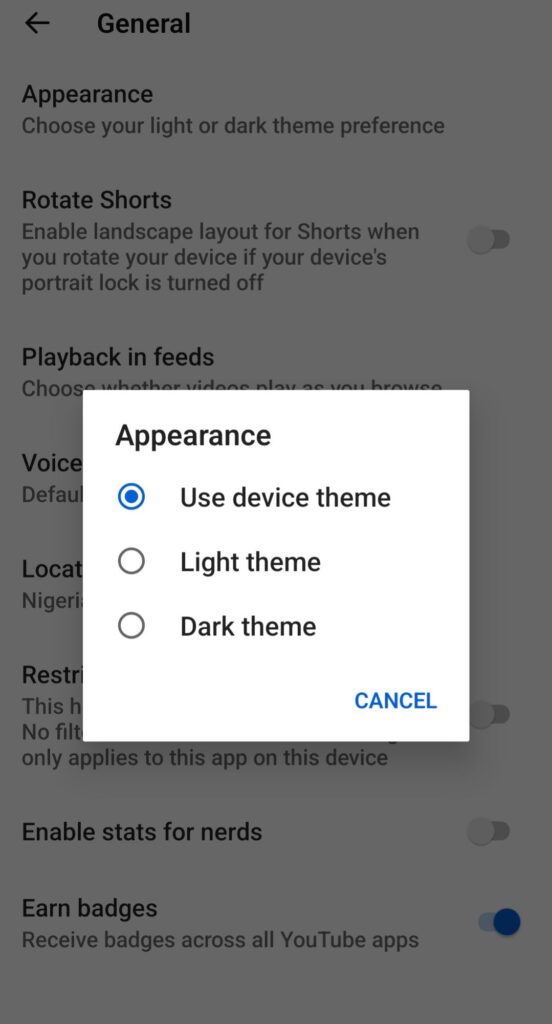
On Android running version 10 or newer, which covers almost every phone sold in Nigeria in the last six years, the setting sits two levels deep inside the app’s own settings rather than in your phone’s settings. A lot of people go hunting in the wrong place and conclude the feature isn’t there. Here is the exact route:
- Open the YouTube app and tap your profile picture in the top right corner.
- Tap Settings, then General.
- Tap Appearance.
- Choose Dark theme to force it on, or Use device theme to let YouTube follow whatever your phone is set to.
The change applies the moment you tap it, and it carries across the home feed, video pages, comments, menus and search results. On iPhone and iPad the path is one step shorter, because Apple’s version has no General submenu: tap your profile picture, tap Settings, tap Appearance, then pick Dark theme or Use device theme. If you also watch on a laptop, click your profile icon at the top right of youtube.com, click Appearance, and choose from the same three options, and you don’t even need to be signed in for that one since the same menu appears under the three-dot button.
One thing worth knowing before you go looking for it elsewhere: this setting is per app, not per account. If you sign into the same Google account on a second phone, that phone keeps its own theme choice, so you’ll need to repeat the steps there. YouTube Music is a separate app with its own Appearance setting too, which catches people out when they switch YouTube to dark and then open YouTube Music to a white screen.
If there is no Appearance option at all, your app version is usually the problem
The single most common reason the option is missing is an outdated app, so open the Play Store or App Store and update YouTube before trying anything else. On older Android builds, roughly Android 9 and below, the layout is genuinely different: there is no Appearance screen, and instead you’ll find a plain Dark theme toggle sitting directly under Settings > General. That is not a bug, it is simply the older design, and the result is the same once you flip it.
If the app is current and the menu still won’t behave, clearing YouTube’s cache from Settings > Apps > YouTube > Storage and cache > Clear cache resolves it often enough to be worth thirty seconds, and it is the same per-app approach we recommend when speeding up an older Android phone. Do not tap Clear storage, since that signs you out of the app entirely. On iPhone, turning the whole system dark from Settings > Display & Brightness will usually pull YouTube along with it, though that is a workaround rather than a proper fix and it changes every other app at the same time.
Worth clearing up as well: dark mode has never required YouTube Premium and is not restricted by region, so nothing about being in Nigeria changes what you see here. If someone tells you to install a modded APK to unlock it, that is a good sign they are selling you something you already have for free.
Dark mode does save battery, just not on the phone most Nigerians are holding
The battery benefit is real but narrower than the internet suggests, and it depends entirely on the type of screen in your hand. OLED and AMOLED panels light each pixel individually, so a black pixel is simply switched off and draws nothing. LCD and IPS panels, which is what you get in most Tecno Spark, Infinix Smart and itel handsets, use one backlight behind the entire screen that stays on regardless of what is displayed. On those phones dark mode saves essentially no power at all, no matter how black the interface looks.
Even on an AMOLED phone, the Purdue findings put the effect in perspective. At normal indoor brightness the saving was 3% to 9%, and the researchers noted that brightness itself is the far bigger lever, since dropping from 100% to 50% cuts OLED power draw by roughly ten times on its own. In other words, turning your brightness down one notch will do more for your battery than dark mode ever will. Where dark mode genuinely earns its keep is outdoors in Nigerian sun, when auto-brightness pushes the screen to maximum and the saving climbs toward 40%.
If battery life is what actually brought you here, the theme switch is the smallest of the changes available to you. There are several ways to boost Android battery life without installing anything that will make a much bigger difference, and owners of AMOLED devices can go further still with the kind of hidden battery settings we dug into on the Infinix Zero Ultra. Screen type is also one of the quiet reasons budget Android phones have been catching up with midrange models, since AMOLED panels have started appearing well below the price point where they used to live.
The eye strain claim is shakier than almost everyone assumes
Nearly every article on this subject states flatly that dark mode reduces eye strain, and the research is far less settled than that. Reviewing the ergonomics literature, the Nielsen Norman Group reported that light mode came out ahead on both visual acuity and proofreading tasks across age groups, and other studies have found no significant difference in visual fatigue between the two modes at all. Reading small white text on black is measurably harder for most eyes, because a bright background constricts your pupil and sharpens the text, which is exactly what you lose in dark mode.
What does hold up is comfort in a dark room. When the light around you is low, a white interface is effectively a torch pointed at your face, and cutting the total brightness of the screen makes the experience noticeably easier. That matters more on YouTube than on most apps, since you are mostly looking at video rather than reading paragraphs of text, so the legibility penalty barely applies. The sensible rule is to match the theme to the room instead of picking one forever: dark when the lights are off, light when you are outside or in a bright office.
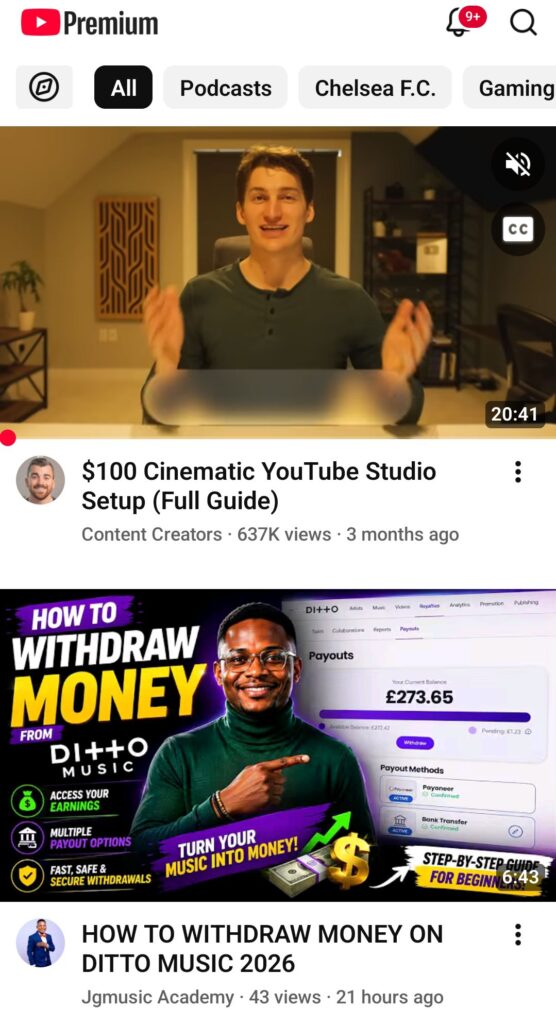
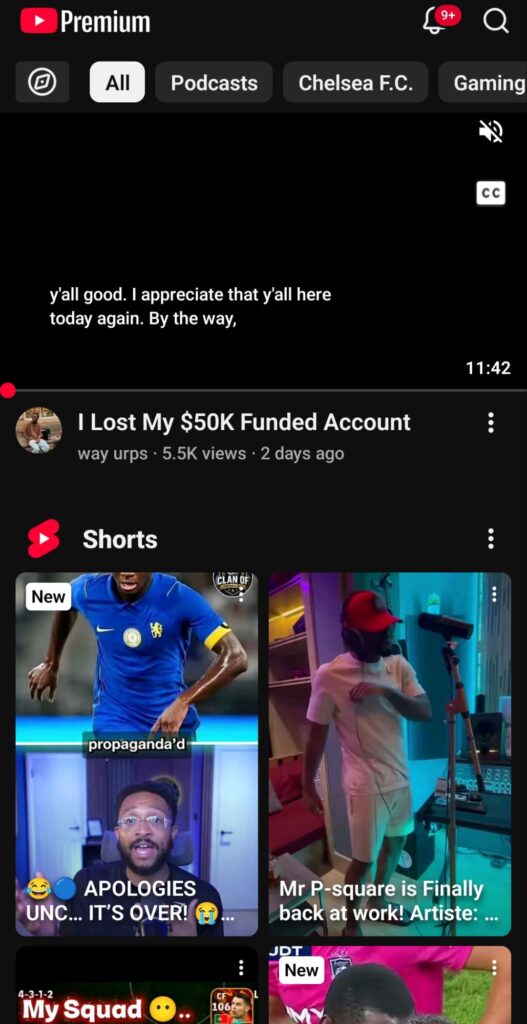
Let your phone handle the switching so you never think about it again
YouTube has no scheduling feature of its own, so if you want it dark at night and light during the day, the answer is to set the app to Use device theme and let your phone drive the schedule. On Android, go to Settings > Display > Dark theme and turn on the schedule, choosing either sunset to sunrise or custom times that suit you. On iPhone, open Settings > Display & Brightness, switch on Automatic, and pick Sunset to Sunrise or a custom window.
Once that is set, YouTube follows along without you touching it again, and so does every other app that respects the system theme. It is one of those changes that quietly improves the phone, in the same category as the other hidden Android settings worth activating. The only thing to remember is that choosing Dark theme inside YouTube overrides the schedule, so if your app stubbornly stays dark at noon, that setting is why.
None of this is complicated, and the whole thing takes less time than a single YouTube advert. The battery savings are mostly a myth at the brightness you actually use, and the eye health claims are weaker than the internet insists, but dark mode still makes watching at night a good deal more comfortable, which was always the real reason to turn it on.